


Design Studio & Craft Space
3.130.00 Reviews
App Specs
- Version
- 26.0
- Updated On
- License
- Free
- Downloads
- 10,000+
- Developer
- couldcoding
- Categories
- Art & Design
- Platform
- Android
Screenshots
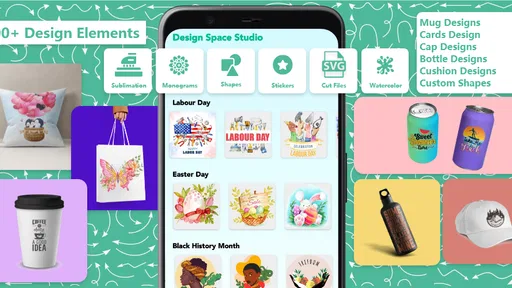
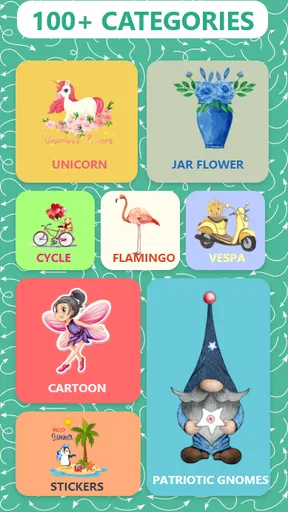
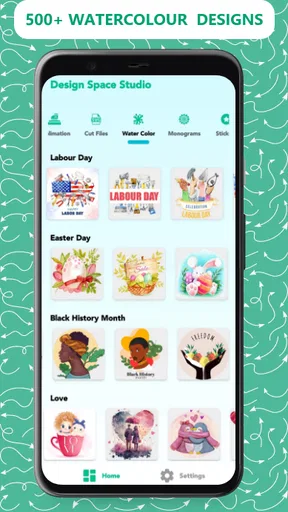
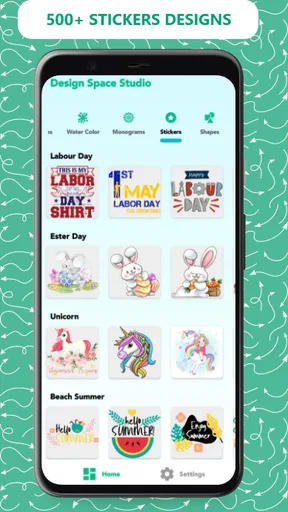
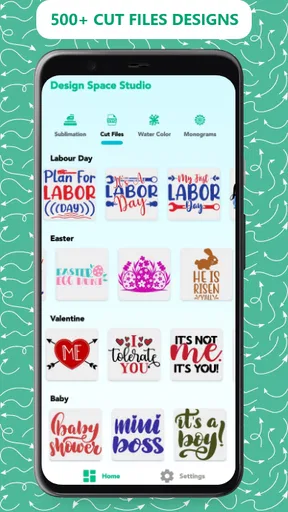
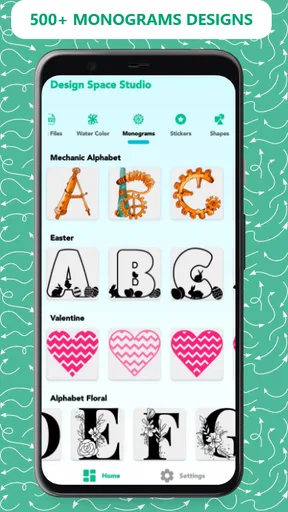
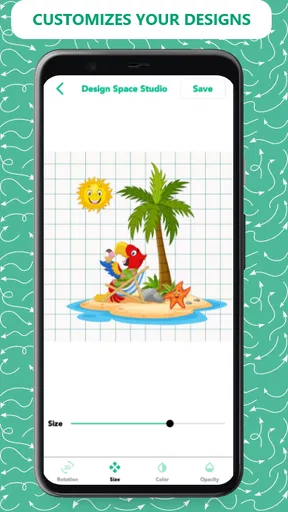
 Analysis by AppCompare
I spent time with Design Studio & Craft Space as a practical art and design app rather than treating it like a full desktop graphics suite. Its focus is clear: helping people browse and use fonts, monograms, SVG designs, and cut files for do-it-yourself projects. That makes it especially relevant if you work with a cutting machine, personalize gifts, or enjoy making small printable and cuttable designs on a phone or tablet.
The app comes from couldcoding and is listed in the Art & Design category. It is free to install, available for Everyone, and supports devices running Android 5.0 or later. I found the concept appealing because it puts several craft-oriented ingredients in one place instead of making me search separately for lettering ideas, monogram styles, and decorative files. At the same time, the experience is more useful for preparing or discovering project material than for replacing a serious design workstation.
How the free access and paid value work
The most important cost detail is straightforward: the app itself is free, while optional in-app purchases range from $3.99 to $54.99 per item. That creates a wide gap between trying the app and committing money to it. I would begin with the free experience and only consider paying after checking whether the available designs match the kind of projects I actually make.
That distinction matters for craft apps. A large design collection can look valuable at first glance, but the practical question is whether the files suit your materials, cutting method, and personal style. A design that looks attractive on a screen may be awkward when reduced for a label, too detailed for a particular cutting project, or simply unsuitable for the surface you have in mind. The free entry point makes that evaluation less risky.
I would not describe the purchase range as automatically good or bad value. The lower end may be reasonable for someone who needs a specific design set, while the higher end deserves more careful thought because it approaches the kind of spending where a user expects a consistently useful library. Since purchases are priced individually across that range, I would judge each item by how often I can reuse it, not by the number of thumbnails shown in a collection.
The app presents more than a thousand SVG design resources, including fonts, monograms, and cut files. That is a substantial starting point for browsing, but quantity alone does not tell me how well the collection is organized or how many designs fit a particular project. I would treat the catalog as a source of ideas and ready-made assets, then inspect each candidate closely before paying for it.
The current version is 26.0, and the app has been available since January 29, 2023. Its listing shows over ten thousand installs, with a 3.1 average from around ninety ratings and thirty written reviews. Those figures suggest that interest exists, but the middling average also tells me to keep expectations measured rather than assuming a polished, universally smooth experience.
Worth Reading Before You Choose

EA SPORTS FC Mobile 26 Is a Bigger Football Game, but It Takes Time

Flipboard Shows What News Apps Must Do Beyond the Feed

Switching to Android Auto Means Rethinking Your Driving Routine

Google Calendar Makes a Crowded Week Easier to Manage

Ludo King Makes the Most of the Minutes Between Plans

Baby Panda World Brings Quick Play to Modern Phones, but Its Game Library Feels Busy
What I found useful in the design workflow
The strongest part of this app is the way it brings craft-specific material into a single browsing session. When I am planning a small project, I do not always need to draw from an empty canvas. I may only need a suitable initial, a decorative word, or a cut-ready motif that gives the project its direction. A focused library can shorten that early stage considerably.
Fonts are particularly useful when the project begins with a name, phrase, or short label. Instead of choosing a typeface from a general font app and then wondering whether it will work visually as a craft design, I can start with styles intended for decorative work. I still need to think about spacing, readability, and the final material, but the search begins closer to the result I want.
Monograms give the app another practical angle. They are useful for initials on notebooks, storage labels, cards, clothing decorations, and gifts. A monogram also makes a quick test project: I can try a single initial or pair of letters before investing time in a larger design. That is a better way to judge whether a style has clean enough shapes and enough breathing room for the intended size.
SVG cut files are valuable because they can be adapted more flexibly than a flat image. In a sensible workflow, I would select a file, check its shapes, adjust its scale or arrangement in the tool I use for cutting, and then test it on inexpensive material. The important point is that an SVG is not automatically a finished physical result. The final quality still depends on the design’s detail, the material, and the cutting setup.
One useful habit is to separate browsing from buying. I would save a short list of possible designs, then compare them against the actual project dimensions. For example, a detailed floral file may look impressive in a preview but become fragile on a small sticker. A simpler outline may be less exciting in the catalog and much more successful on vinyl. This app is more helpful when I use it as a selection tool rather than accepting the first attractive preview.
A realistic everyday project
Imagine I am preparing a set of pantry labels for a friend. I could use the app to explore lettering styles, choose a consistent look for words such as “tea” and “flour,” and add a small decorative element from the cut-file collection. Before spending anything, I would check whether the free options already provide a coherent set. If they do, the app has done its job without adding cost.
If one paid font or design offers the exact look needed, I would compare it with the rest of the label set before purchasing. A single attractive word design is not enough if the remaining labels require a different style. The better purchase is the asset that can support several related labels, gift tags, or future projects. This is where the broad catalog can become useful: not because every item is necessary, but because it gives me alternatives when the first idea does not fit.
For a birthday gift, I might take a similar approach with a monogram. I would test the initials at the approximate final size, look for narrow gaps or fragile corners, and consider whether the design will remain legible after cutting. That small preparation step is easy to skip when browsing on a phone, yet it prevents a common disappointment: choosing a beautiful design that is impractical at the size I need.
Where the app fits beside familiar alternatives
Compared with a general drawing app, Design Studio & Craft Space feels more focused on ready-made craft inspiration and assets. A drawing app usually gives me a blank canvas and more freedom to build from scratch, but it also demands more design work. This app is the better starting point when I want a font, monogram, or cut file quickly rather than constructing every shape myself.
Compared with a full desktop design program, it is less likely to be the place where I perform detailed cleanup, complex layout work, or final production checks. Desktop software generally offers stronger control over nodes, layers, alignment, and export preparation. If I am making a professional logo, a multi-layered illustration, or a design that must meet strict specifications, I would rather use a dedicated editor and use this app only as a source of inspiration or assets.
It also differs from searching the web for individual SVG files. A focused app can feel more convenient because the browsing context is centered on crafts, typography, and monograms. The trade-off is that a curated-looking catalog does not remove the need to inspect files carefully. I still want to know whether a design matches my intended size, material, and cutting process before relying on it.
For someone who already owns a large personal library of fonts and SVGs, the benefit may be smaller. The app is most useful when I need fresh ideas or want a convenient place to explore craft-specific options. It is less compelling if my existing software already includes the exact browsing, editing, and file-management tools I use every day.
Small details that affect the result
My first practical tip is to judge designs at their intended output size, not only at preview size. Fine gaps, thin lines, and tiny interior shapes can change dramatically when a design is reduced. A file that appears clean while browsing may need simplification before it works on a small project. I would rather choose a slightly simpler design than spend time repairing a fragile one after cutting.
My second tip is to build a style system before collecting individual files. Pick one or two lettering moods and a small group of compatible decorative shapes. This prevents a common craft problem: having many attractive assets but no consistent visual language. The app can supply variety, but I have to provide the discipline that turns that variety into a matching set.
My third tip is to use a low-cost material for the first test. Even a well-designed SVG may behave differently on paper, adhesive vinyl, fabric, or another surface. Testing lets me see whether the smallest parts weed cleanly, whether letters remain readable, and whether the design needs more spacing. The app can help with the starting file, but it cannot guarantee the physical result.
A fourth useful approach is to treat monograms as templates for personalization rather than finished answers. I can use one as a starting point, then adjust the surrounding layout, add a name, or pair it with a simple border in another editor. This makes the purchase more versatile and avoids expecting one downloaded design to solve an entire project without any adaptation.
Limitations I would consider before installing
The 3.1 average is the clearest reason to keep expectations realistic. It does not tell me exactly which issues individual users experienced, but it does suggest that the app may not satisfy everyone equally. I would approach it as a useful craft resource to evaluate personally, not as a guaranteed replacement for established design software.
The app’s focus can also become a limitation. If I want advanced illustration, precise vector editing, photo manipulation, or professional page composition, a specialized tool will likely be a better fit. A collection of assets is not the same thing as a complete creative workstation. I would still expect to use another app or computer program for final adjustments in many projects.
There is also a risk of paying for more material than I can use. The catalog’s breadth may encourage impulse purchases, especially when several styles seem suitable. Because individual items can cost anywhere from $3.99 to $54.99, I would set a project budget first and buy only when a file solves a clearly defined need. Free access is valuable here because it gives me room to test the general direction before making that decision.
People who need a completely offline, tightly managed asset library may also prefer a tool built around their own files. Likewise, users who expect every design to be immediately production-ready should remember that sizing, spacing, material choice, and cutting settings remain part of the workflow. The app can reduce the search effort, but it does not remove the craft decisions that determine the final result.
Who will get the most from it
I think this app is a good match for casual crafters, beginners exploring SVG projects, and people who regularly personalize gifts or household items. It is also useful for anyone who often starts with typography or initials and wants more options than the default fonts in a basic cutting workflow. The free installation makes it easy to explore without treating the first download as a financial commitment.
It may appeal to experienced makers as a discovery tool rather than a central production environment. If I already know how to prepare files, test cuts, and refine layouts, a large collection of starting points can save browsing time. The value depends on whether the designs complement my existing library, not simply on how many resources are available.
I would ask beginners to keep their first project deliberately simple. A single initial, short word, or uncomplicated outline will reveal more about the usefulness of the app than an ambitious multi-layer design. Once I know which styles translate well to my materials, I can decide whether a paid item is worth adding to my collection.
I would suggest skipping it if the main goal is advanced vector creation, detailed illustration, or professional design production inside one application. In those cases, a dedicated editor is the more appropriate purchase, even if it has a steeper learning curve. I would also skip paid content when I cannot identify a specific project that uses it more than once.
My final recommendation
Design Studio & Craft Space is worth trying for its free starting point, focused craft library, and convenient mix of fonts, monograms, and SVG-oriented design ideas. I like it best as a companion to a cutting or editing workflow, not as a substitute for the software that handles final preparation. Its strongest value comes from helping me move from a vague project idea to a workable visual direction.
The purchase decision should be personal and practical. Free access is enough to see whether the style of the collection suits me. Paid items may make sense when one design supports a real project or a reusable series, but the higher end of the purchase range calls for careful comparison with alternatives and with the tools I already own. I would not buy simply because a catalog feels large.
Overall, I would recommend installing it if you enjoy DIY personalization and want a focused place to browse craft assets on an Android device running Android 5.0 or later. I would keep another design tool available for cleanup, resizing, and final layout work, and I would test every important design before using valuable material. That balanced approach gives the app a fair chance while keeping its limitations—and its optional costs—in view.
Pros
- Intuitive tools make it easy to start creating without prior design experience.
- Supports detailed customization of colors
- layouts
- and decorative elements.
- Useful for exploring creative ideas and developing a personal visual style.
- Clean workspace helps keep projects organized while you work.
- Suitable for both quick crafts and more time-consuming creative projects.
Cons
- Some advanced features may require in-app purchases or a subscription.
- Large projects can feel slower on older phones and tablets.
- The number of templates may feel limited for highly specific themes.
- Export options may not provide enough control for professional printing.
- Creative suggestions can become repetitive after extended use.
FAQs for Design Studio & Craft Space
What is Design Studio & Craft Space, and what can I do with it?
Design Studio & Craft Space is a creative app for planning, designing, and organizing craft projects in one place. After exploring its tools, users can work on visual ideas, experiment with colors and layouts, save project concepts, and use the app as a source of inspiration. It is suitable for hobbyists, beginners, and anyone who enjoys personalized handmade creations.
Is Design Studio & Craft Space suitable for beginners?
Yes, the app is designed to be approachable for users with different levels of creative experience. Beginners can start with simple project ideas and gradually explore more advanced design options as they become familiar with the interface. The tools are generally easy to understand, although users who want highly detailed or professional results may need some time to learn the available features.
Does Design Studio & Craft Space work offline?
Some creative features may be available without a constant internet connection, particularly when working with content that has already been loaded or saved on the device. However, internet access may be required for downloading new resources, synchronizing projects, receiving updates, or accessing online inspiration. Availability can vary by device and app version, so checking the current requirements before downloading is recommended.
Are there in-app purchases or premium features in Design Studio & Craft Space?
Design Studio & Craft Space may include optional purchases, subscriptions, or premium content depending on the version available for Android or iOS. Basic access can provide an introduction to the app, while certain design assets, project options, or advanced tools may require payment. Before confirming a purchase, review the store listing carefully to understand pricing, renewal terms, and what is included.
Is Design Studio & Craft Space safe to download and use?
The safest way to install Design Studio & Craft Space is through the official Google Play Store or Apple App Store, where the listing, permissions, developer information, and update history can be reviewed. As with any creative app, users should check what data it requests and read its privacy policy. Avoid unofficial download files, and keep the app updated for security and compatibility improvements.


